
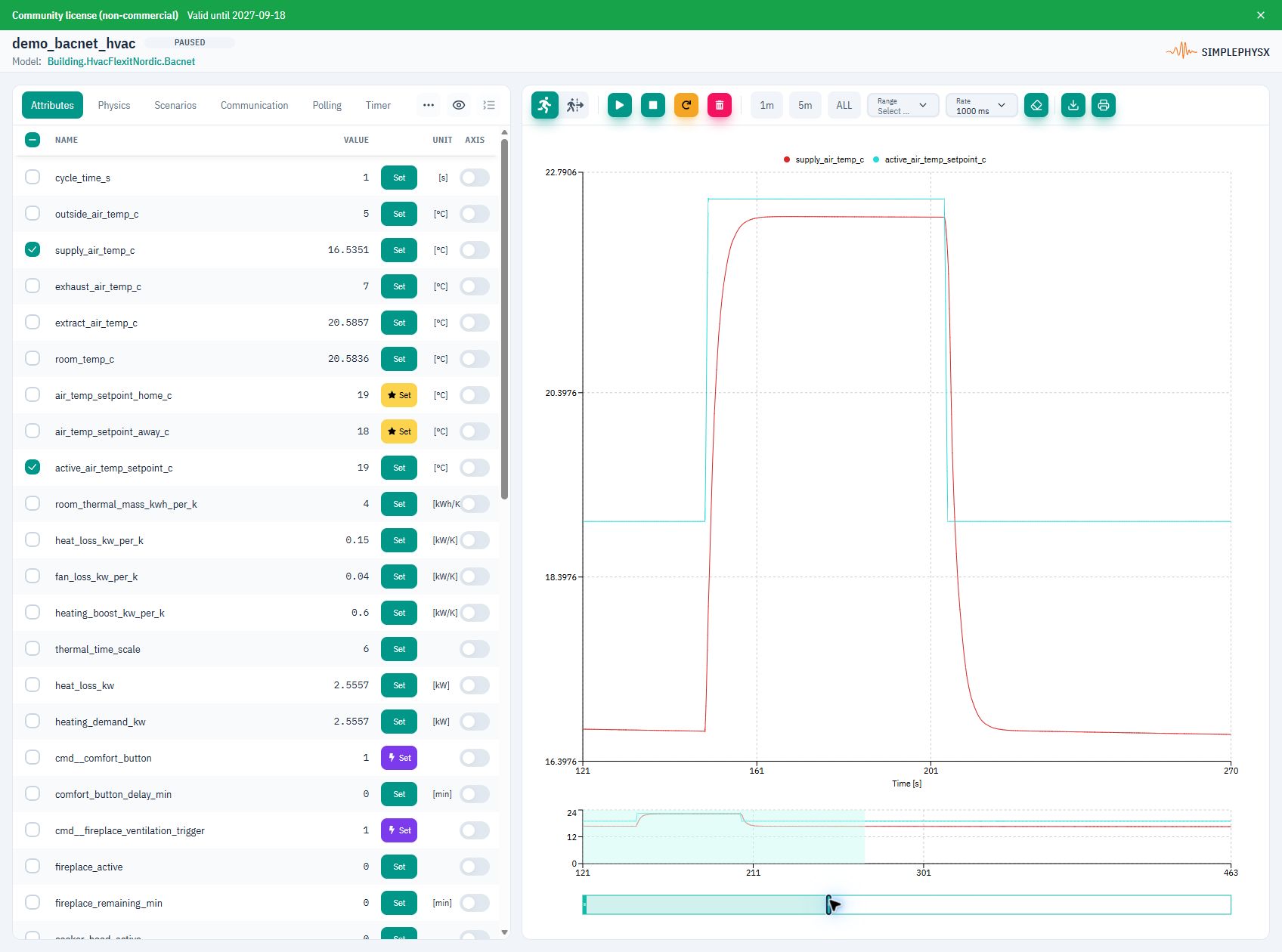
Flexit Nordic HVAC library model. Setpoint in teal, supply temperature in red; time in seconds. Paused after heating and cooling for inspection.
Product
Connect your software to virtual devices, exercise normal and failure states, and inspect the response. Use SPX before hardware arrives or alongside your physical setup.
A working example
A virtual HVAC unit receives a BACnet command. Its supply-air temperature changes over time, so your software can test the response.
Flexit Nordic HVAC library model. Setpoint in teal, supply temperature in red; time in seconds. Paused after heating and cooling for inspection.
Start the library HVAC model as a virtual BACnet/IP device.
Use your BACnet client to write 22.5°C and enable heating. Read both values back.
Watch the supply air warm up. Restore 19°C and disable heating to follow the cooldown.
When to use SPX
Use a controllable virtual environment at every stage of development.
Before hardware
Connect software while devices or complete setups are still unavailable.
Alongside hardware
Run parallel tests while physical equipment is busy with other work.
Beyond hardware
Test faults, extreme inputs and recovery without disrupting real equipment.
Use cases
Follow a workflow for your engineering task.
Embedded and integration
Connect firmware or client software to virtual devices with live state and protocol behavior.
Find interface, timing and reconnect problems earlier.
Embedded software testingAutomation and commissioning
Connect virtual devices and controllers to exercise building or industrial automation logic.
Check interactions before onsite commissioning.
Virtual commissioningQA and reliability
Apply controlled faults and boundary inputs, then inspect state, values and logs.
Repeat difficult conditions and compare the response.
Scenarios and fault validationDevelopment and CI
Drive the same models through Python tests and CI workflows.
Turn a useful experiment into a regression check.
Python and CI workflowsHow it works
Start in the UI and automate when you are ready.
Step 01
Choose a library model, describe one to your AI agent or define it in code. Start an instance.
Step 02
Use the model's protocol endpoint and addresses to read values and send commands.
Step 03
Change inputs, run scenarios and inspect the response. Restore configuration from a snapshot; automate checks with Python or CI.
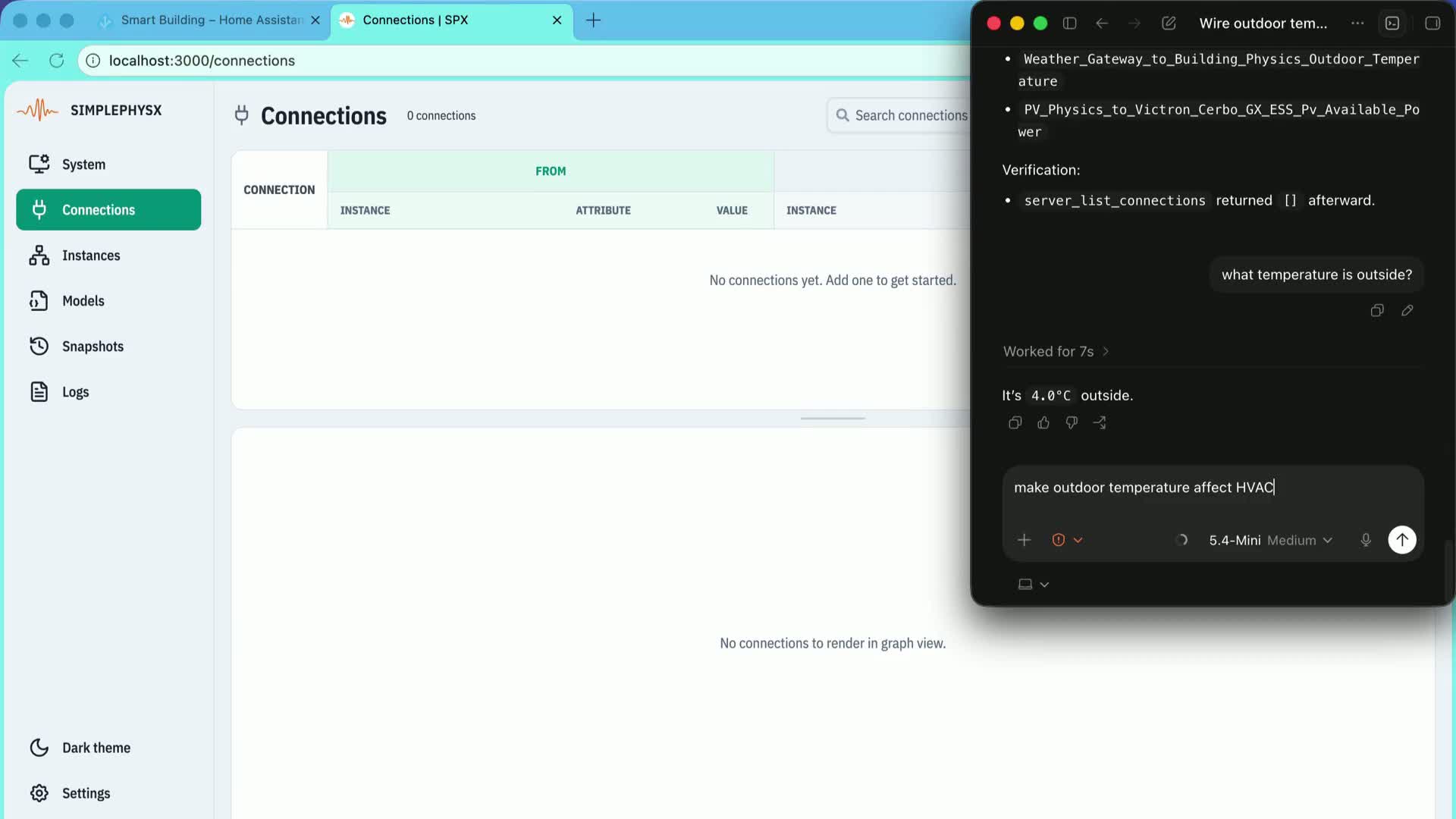
See an AI agent connect weather and HVAC behavior in a running SPX environment.
Explore further
Capabilities
Build, connect, validate and automate.
Explore FeaturesConnections
Client settings, addresses and expected replies.
Choose a protocolDevelopers
Start paths, model YAML and developer resources.
Open DevelopersReady to start
Choose a plan, install SPX and follow the first-device guide to get a result you can check.