
Start in three steps
Change an HVAC setpoint over BACnet/IP, read it back and follow the supply-air temperature response.
Before you start: Install SPX with the BACnet package and SPX UI. Have a BACnet/IP client ready. This guide uses the library’s Flexit Nordic HVAC model.
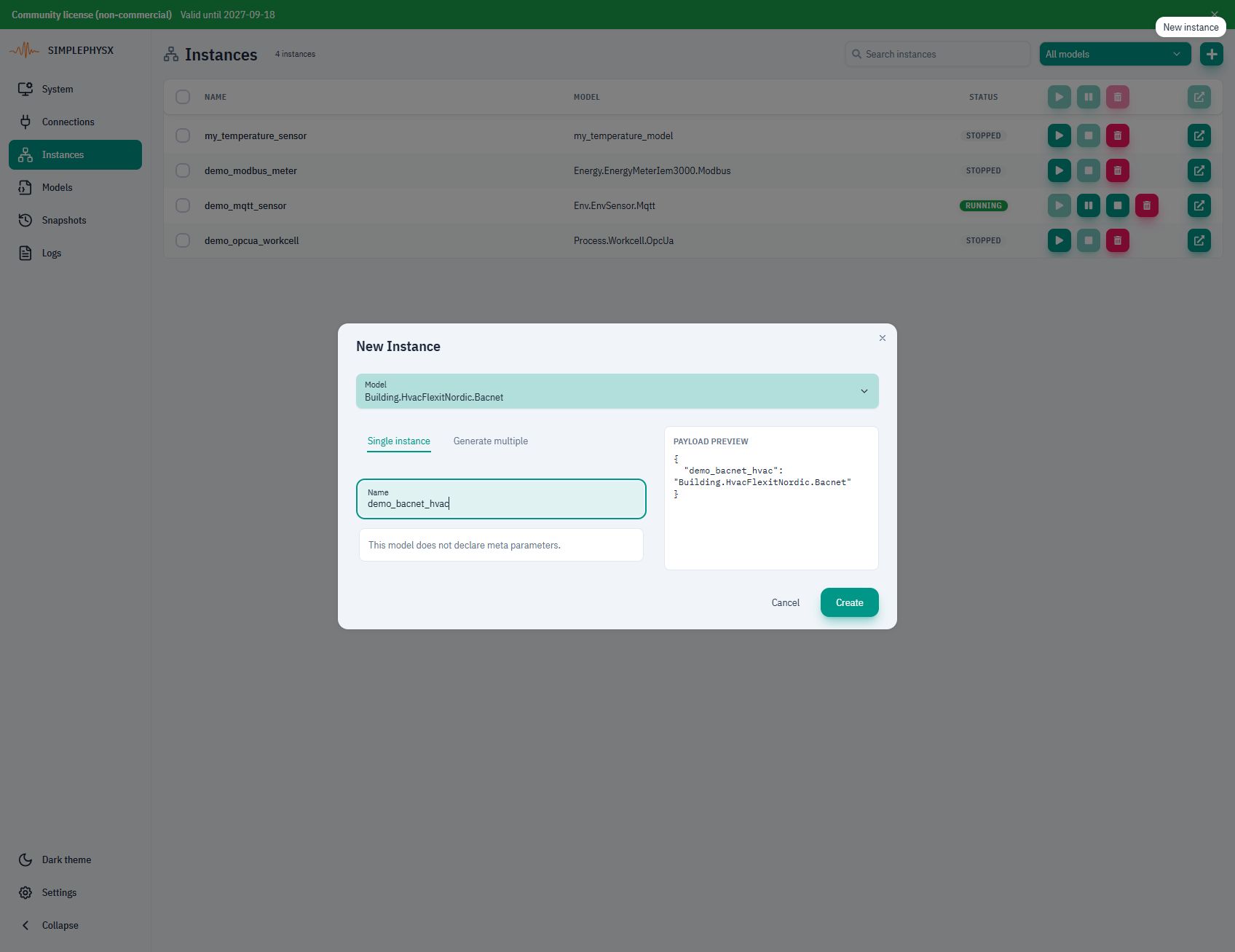
1. Create a virtual HVAC unit
Open Instances → New instance. Select Building.HvacFlexitNordic.Bacnet, or your imported registry name. Use an unused name, such as demo_bacnet_hvac. Keep device ID 2 and UDP port 47808. Choose Create, then Start instance. Confirm RUNNING.
Model not listed?
Download the linked YAML. In Models → Load model from file, import it under a registry name of your choice. Select that name in New instance. The dotted name in our screenshots is a registry label, not the YAML filename.
2. Connect and change the setpoint
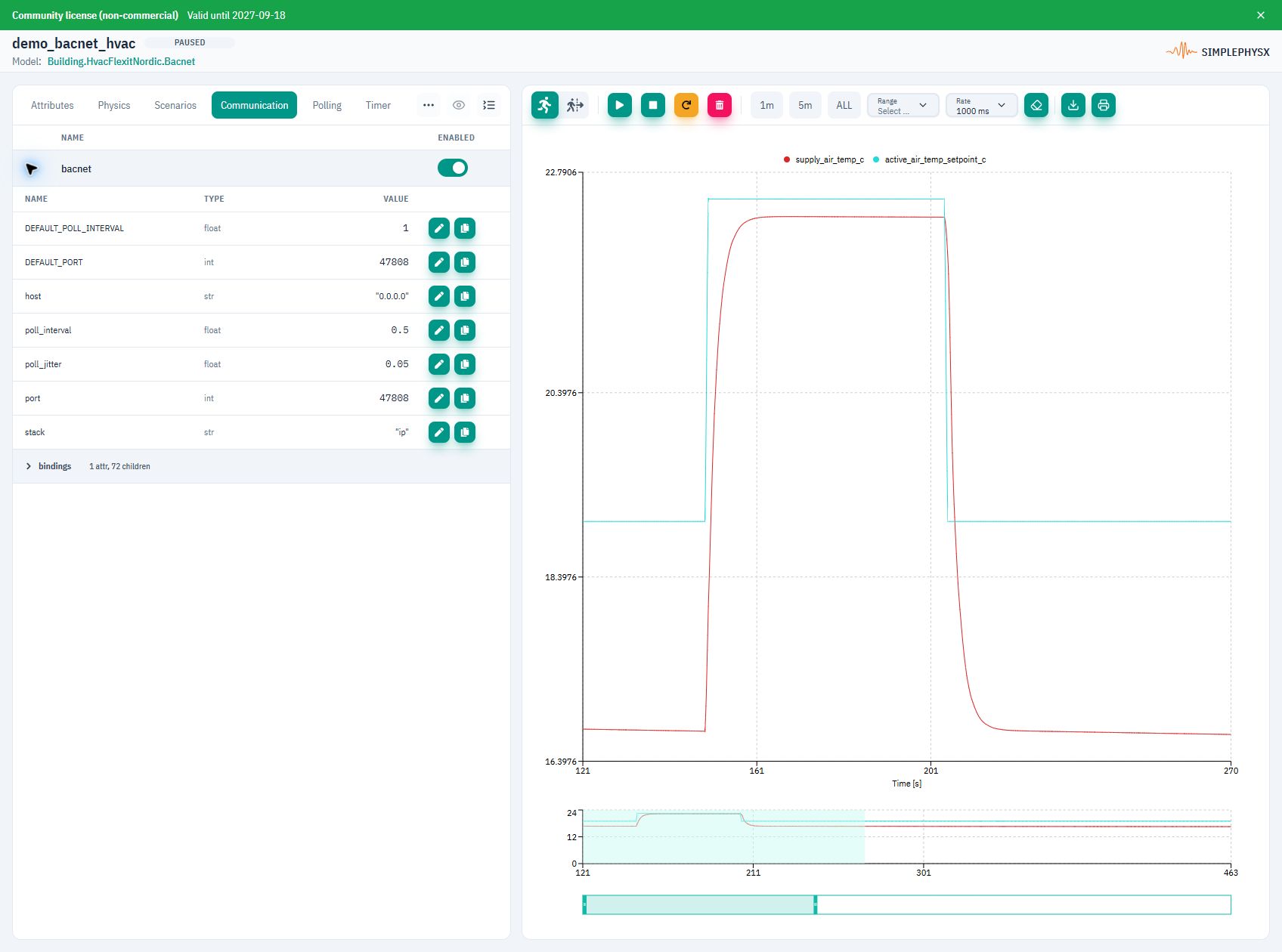
Open Communication → bacnet. Point your client at the reachable SPX host on UDP 47808. Publish that UDP port when using Docker. Use a direct connection if broadcast discovery does not cross your network boundary.
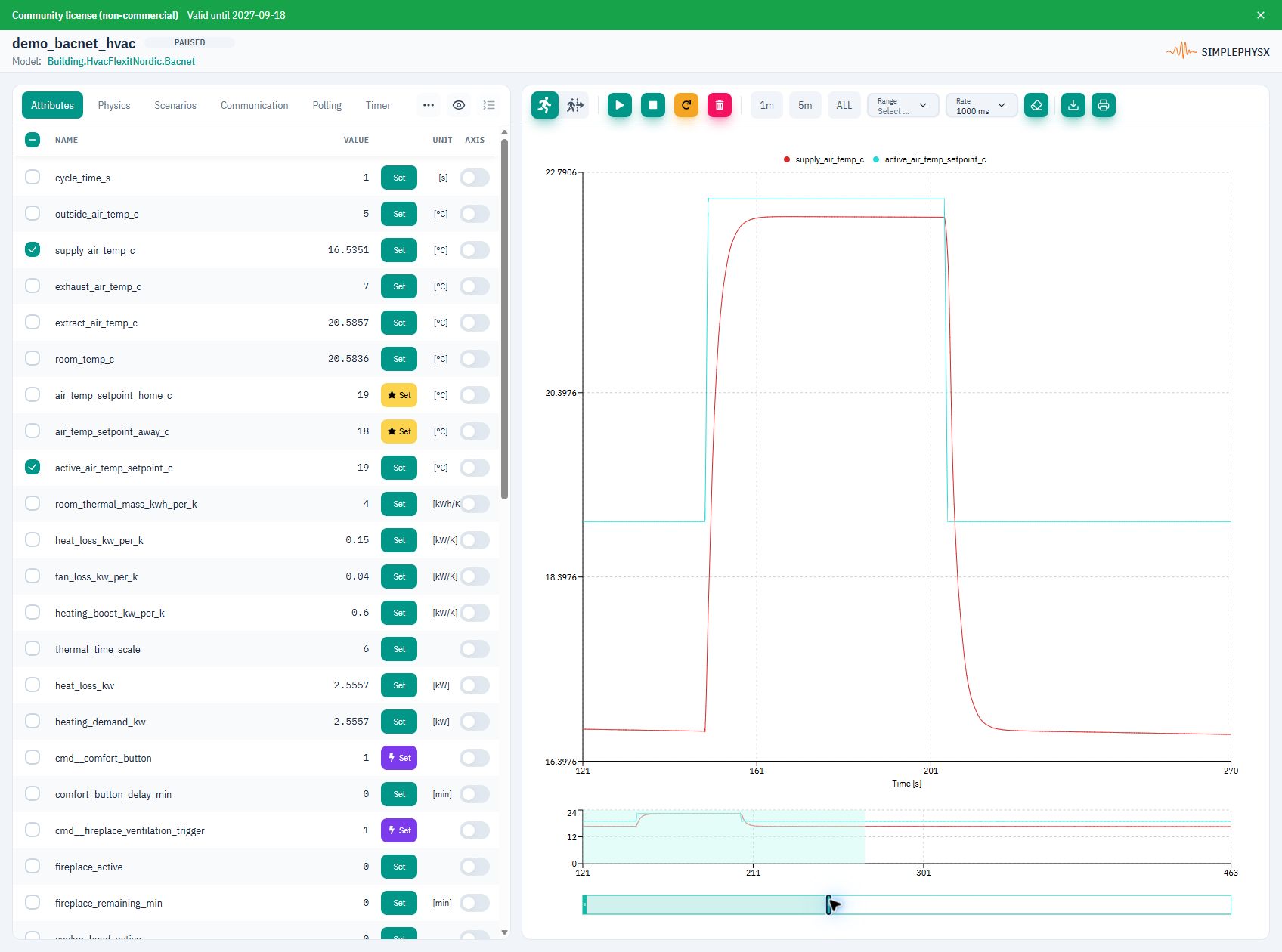
Read supply temperature at analogInput:4 / presentValue. In Attributes, select supply_air_temp_c and active_air_temp_setpoint_c with a shared °C axis and 1000 ms chart rate.
Write Real 22.5 to analogValue:1994 / presentValue and active to binaryValue:445 / presentValue. Read both properties back. The communication reference explains object types and acknowledgements.
3. Follow the heating response
Success: the setpoint reads 22.5°C, the heater reads active, and the supply temperature rises. After it settles, restore the setpoint to 19°C and the heater to inactive. The supply air cools toward the model’s unheated baseline.
Pause after the heating and cooling response, then select its time range for inspection.
When finished, choose Stop instance.
Protocol communication
Use these settings and messages with the library’s Flexit Nordic HVAC model.
- Client / transport
- BACnet/IP → SPX_HOST:47808 over UDP; device instance 2
- Property
- presentValue; identify values by object type and object instance
- Docker / discovery
- Publish UDP 47808; use direct unicast when broadcasts cannot cross the network
Replace host placeholders with reachable addresses and use your published ports.
Swipe the table to see requests and replies.
| Address / message | Operation / payload | Expected reply |
|---|---|---|
analogInput:1 / presentValue | ReadProperty — outside air temperature | Real in °C; nominal value 5.0 |
analogInput:4 / presentValue | ReadProperty — supply air temperature; read-only | Real in °C; changes with heating/cooling |
analogValue:1994 / presentValue | ReadProperty / WriteProperty — home setpoint | Initially 19.0°C; write Real 22.5, then read 22.5 |
binaryValue:445 / presentValue | ReadProperty / WriteProperty — heater enable | BinaryPV / Enumerated: inactive (0) or active (1) |
Values describe this model’s nominal setup unless noted. Live measurements change as the simulation runs.
Example request and reply
Write setpoint 22.5 and heater active, read both back, then poll analogInput:4. Restore setpoint 19.0 and heater inactive after the response.
ReadProperty analogValue:1994 presentValue → Real 19.0
WriteProperty analogValue:1994 presentValue = Real 22.5 → SimpleACK
ReadProperty analogValue:1994 presentValue → Real 22.5
WriteProperty binaryValue:445 presentValue = active → SimpleACK
ReadProperty analogInput:4 presentValue → rising temperature
Restore: analogValue:1994 = 19.0; binaryValue:445 = inactive
No reply or an unexpected value?
- Device instance 2 is not the UDP port or object instance. Both object type and number matter: analogInput:4 differs from analogOutput:4.
- Send a BACnet Real for the setpoint and BinaryPV/Enumerated for the heater, not text. ReadProperty returns an ACK containing the value; WriteProperty returns a SimpleACK. Read again to verify the change.
- A UDP mapping does not guarantee Who-Is/I-Am broadcast discovery. Check the client interface/subnet, UDP mapping and reachable unicast destination.
What you can test next
- Browse the model’s other BACnet objects and properties.
- Compare heating response at different setpoints.
- Verify your client’s readback and reconnection behavior.
Using an AI agent?
Give your agent this page and the linked YAML. Resolve the registered model name and reachable UDP endpoint. Read and write the exact object identifiers above using a BACnet client; verify presentValue after each write. Record supply-temperature samples, then restore setpoint 19 and heater inactive. The plotted attributes are supply_air_temp_c and active_air_temp_setpoint_c. UDP broadcast discovery may require network configuration; a published port alone does not guarantee discovery.
See the BACnet adapter guide for object bindings and network settings.