
Start in three steps
Control a virtual lighting circuit through KNX group writes and compare the target with actual brightness.
Before you start: Install SPX with the KNX package and SPX UI. Have a reachable KNX/IP tunnelling gateway and a client that can send raw group values. This guide uses the library’s lighting zone model.
1. Create a virtual lighting zone
Open Instances → New instance. Select Building.LightingZone.Knx, or your imported registry name. Use an unused name, such as demo_knx_lighting. Set knx_router_host to your gateway, port 3671, and ga_main to 7 for this exercise. Choose Create, then Start instance. Confirm RUNNING.
Model not listed?
Download the linked YAML. In Models → Load model from file, import it under a registry name of your choice. Select that name in New instance. The dotted name in our screenshots is a registry label, not the YAML filename.
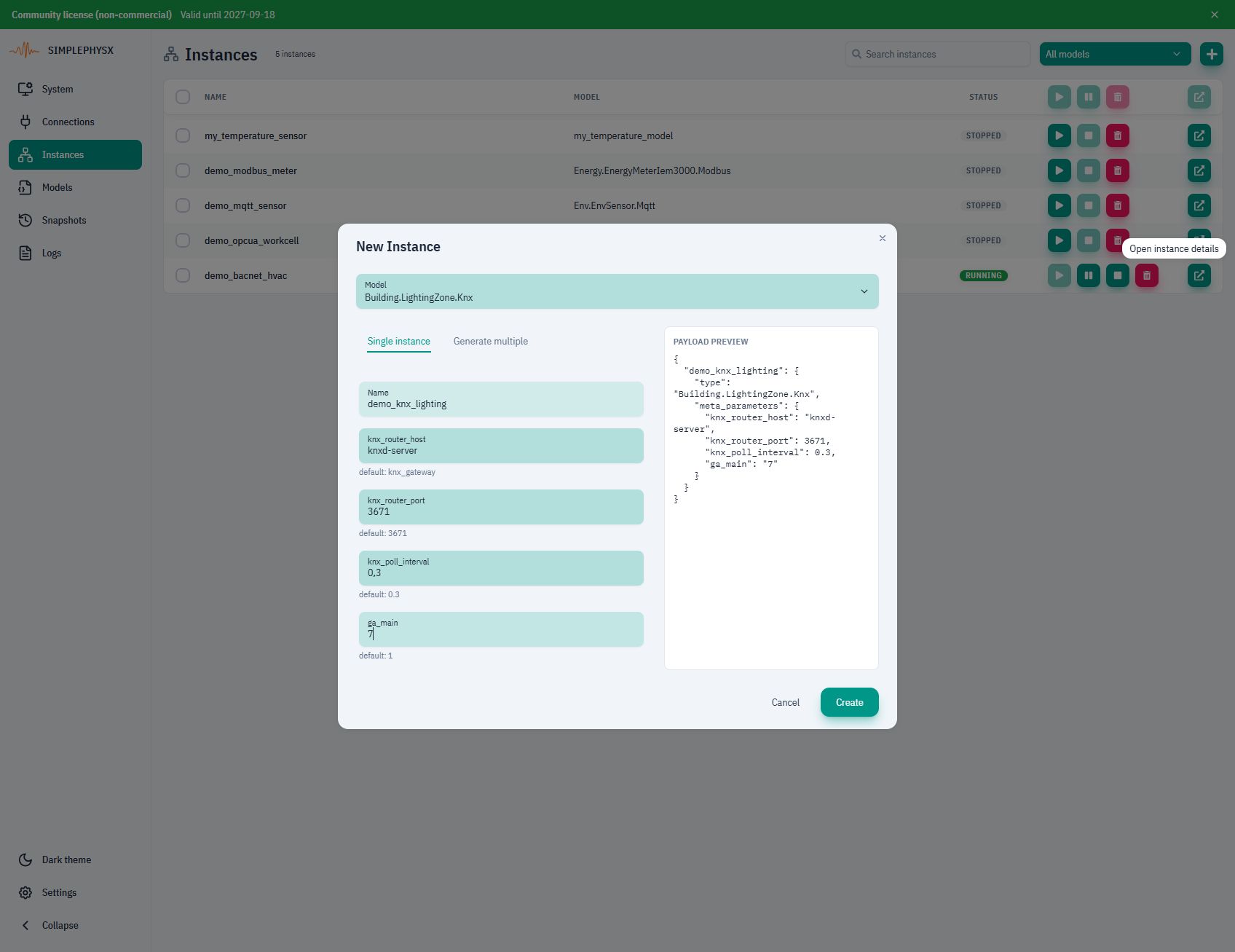
2. Connect and send a brightness command
Check Communication → knx_ip. Connect your client to the same gateway, using an address reachable from that client.
Before sending commands, select circuit_a_level_percent and circuit_a_target_percent in Attributes. Use a shared % axis and 100 ms chart rate so the short ramps remain visible.
Send GroupValueWrite to 7/1/10 with raw values 0, 100, then 35, waiting for each level to settle. Read the group value after each change. This binding uses uint8 percentages 0–100; see the communication reference for byte values and feedback.
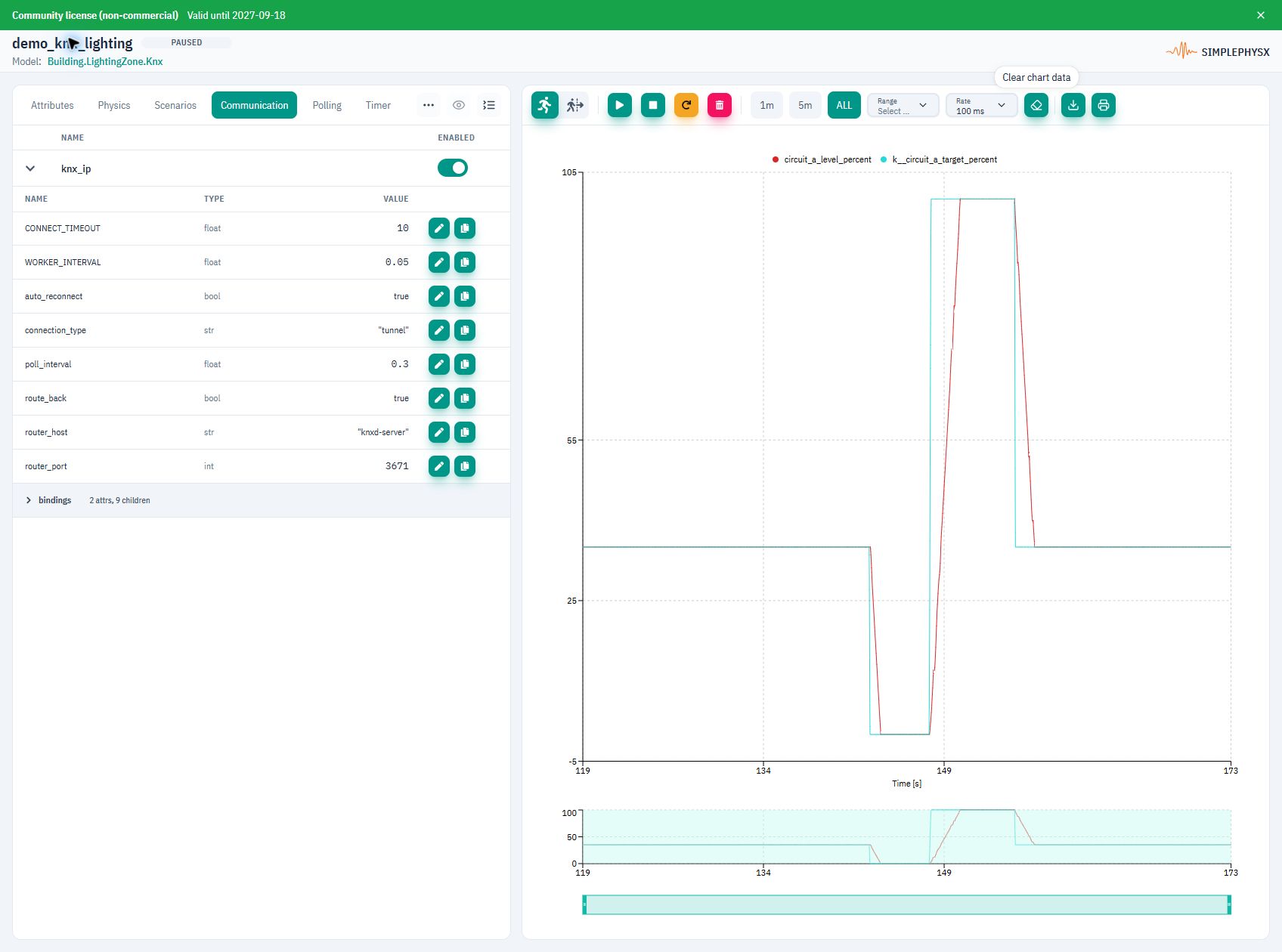
3. Verify the dimming response
Success: group readbacks move through 0%, 100%, then 35%. The actual brightness follows each target with a short ramp.
Pause after the sequence and choose ALL to inspect the complete response.
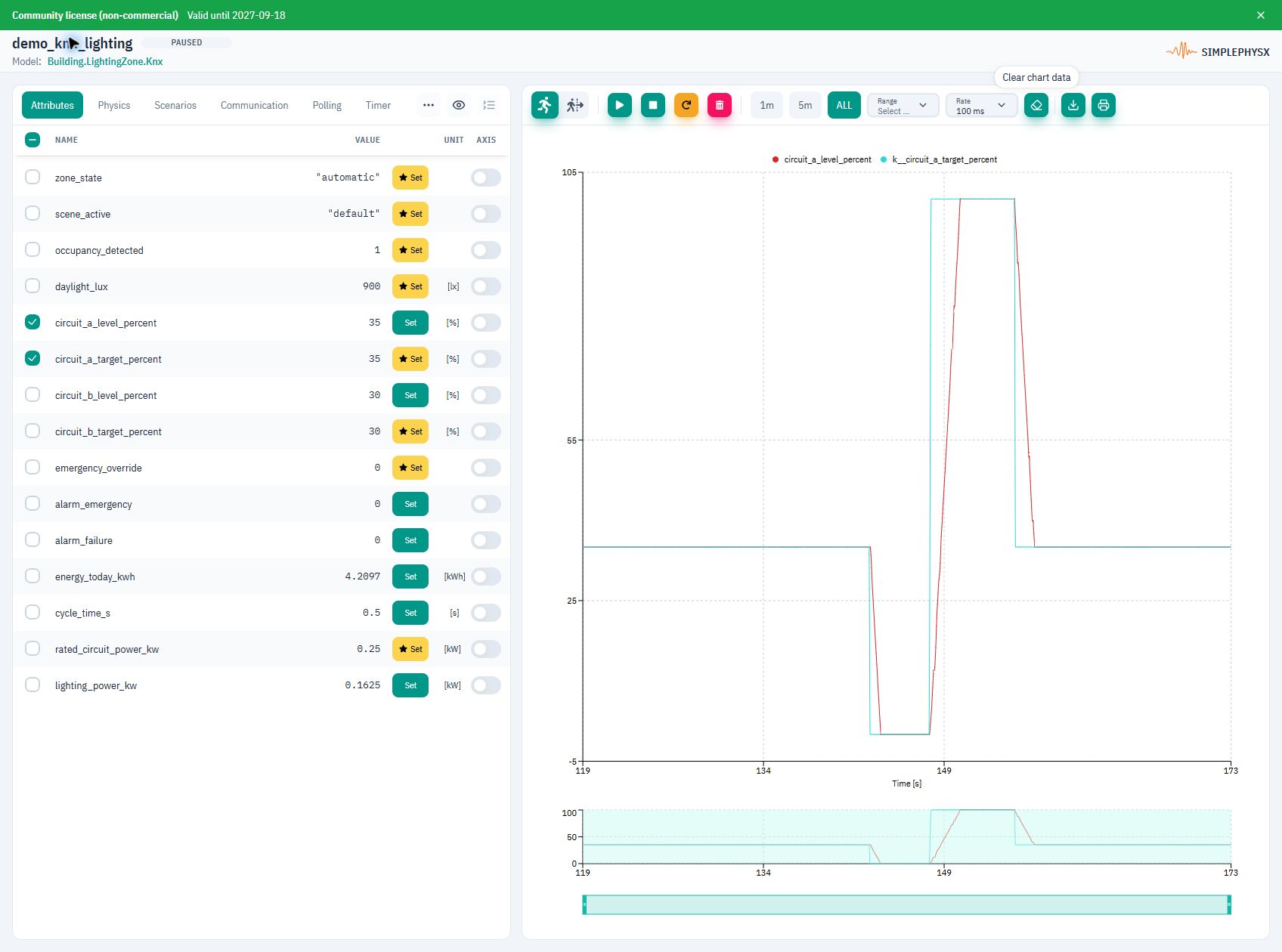
When finished, choose Stop instance.
Protocol communication
Use these settings and messages with the library’s lighting zone model.
- Client / transport
- KNX/IP tunnelling → GATEWAY_HOST:3671 over UDP; same gateway as SPX
- Address override
- ga_main=7 for this exercise; library default: 1
- Brightness codec
- uint8; one raw byte in 0–100, not DPT 5.001 scaling
Replace host placeholders with reachable addresses and use your published ports.
Swipe the table to see requests and replies.
| Address / message | Operation / payload | Expected reply |
|---|---|---|
7/1/10 | Circuit A: GroupValueWrite raw 0, 100 or 35; GroupValueRead | GroupValueResponse: actual brightness, eventually 0, 100 or 35 |
7/1/11 | Circuit B: same read/write uint8 format | Actual Circuit B brightness in 0–100% |
7/1/14 | Occupancy: GroupValueWrite; boolean true/false; inbound only | No direct readback binding; check occupancy_detected in SPX |
7/1/15 | Daylight: read / outbound updates; DPT 9.004 | Measured illuminance in lx; varies with the scenario |
Values describe this model’s nominal setup unless noted. Live measurements change as the simulation runs.
Example request and reply
Write 0, then 100, then 35 to 7/1/10, waiting for each ramp to settle. Issue GroupValueRead after each step and verify the actual-level response.
GroupValueWrite 7/1/10  payload: 0x64 (decimal 100)
Wait for the ramp; GroupValueRead 7/1/10
→ GroupValueResponse payload: 0x64 (100%)
GroupValueWrite 7/1/10  payload: 0x23 (decimal 35)
Wait; GroupValueRead 7/1/10
→ GroupValueResponse payload: 0x23 (35%)
No reply or an unexpected value?
- Target writes and actual feedback share 7/1/10 in this model. An immediate read may return an intermediate ramp value.
- Decimal 35 is raw byte 0x23; decimal 100 is 0x64. Do not send ASCII text or scale 100% to 255.
- Allow enough gateway tunnels for SPX and your client. If your instance uses ga_main=1, replace 7/... with 1/... on every group address.
What you can test next
- Exercise Circuit B using its binding in the model YAML.
- Compare command timing with actual-level feedback.
- Check gateway reconnects and group-read handling.
Using an AI agent?
Give your agent this page and the linked YAML. Resolve the registered name and gateway addresses from your environment. With ga_main=7, send GroupValueWrite to 7/1/10 using one-byte uint8 values 0, 100 and 35. Read actual-level feedback through GroupValueRead/GroupValueResponse; wait for settling before comparing. Do not encode this binding as DPT 5.001 or assume the default main group is 7. The raw target attribute is k__circuit_a_target_percent; the read attribute is circuit_a_level_percent.
See the KNX adapter guide for gateway and group-address bindings.